Setup guide

Connect Discord & claim your roles

Just got PokePings Premium? Follow these steps to join our Discord with your Premium roles. Tick each step off as you go.

About 2 minutes 5 steps Works on desktop & mobile
0 of 5 steps done
Part 1

Connect Discord & claim access

1

Log in to Whop

Make sure you're logged in to Whop with the same account you bought PokePings on.

Not sure which account you used? Search your email inbox for your Whop receipt. It was sent to the email on that account.
2

Connect your Discord account

Open the PokePings Discord access page on Whop and press Connect Account. Discord will ask you to authorize Whop. Check it's the right Discord account, then press Authorize.

Open Discord access page
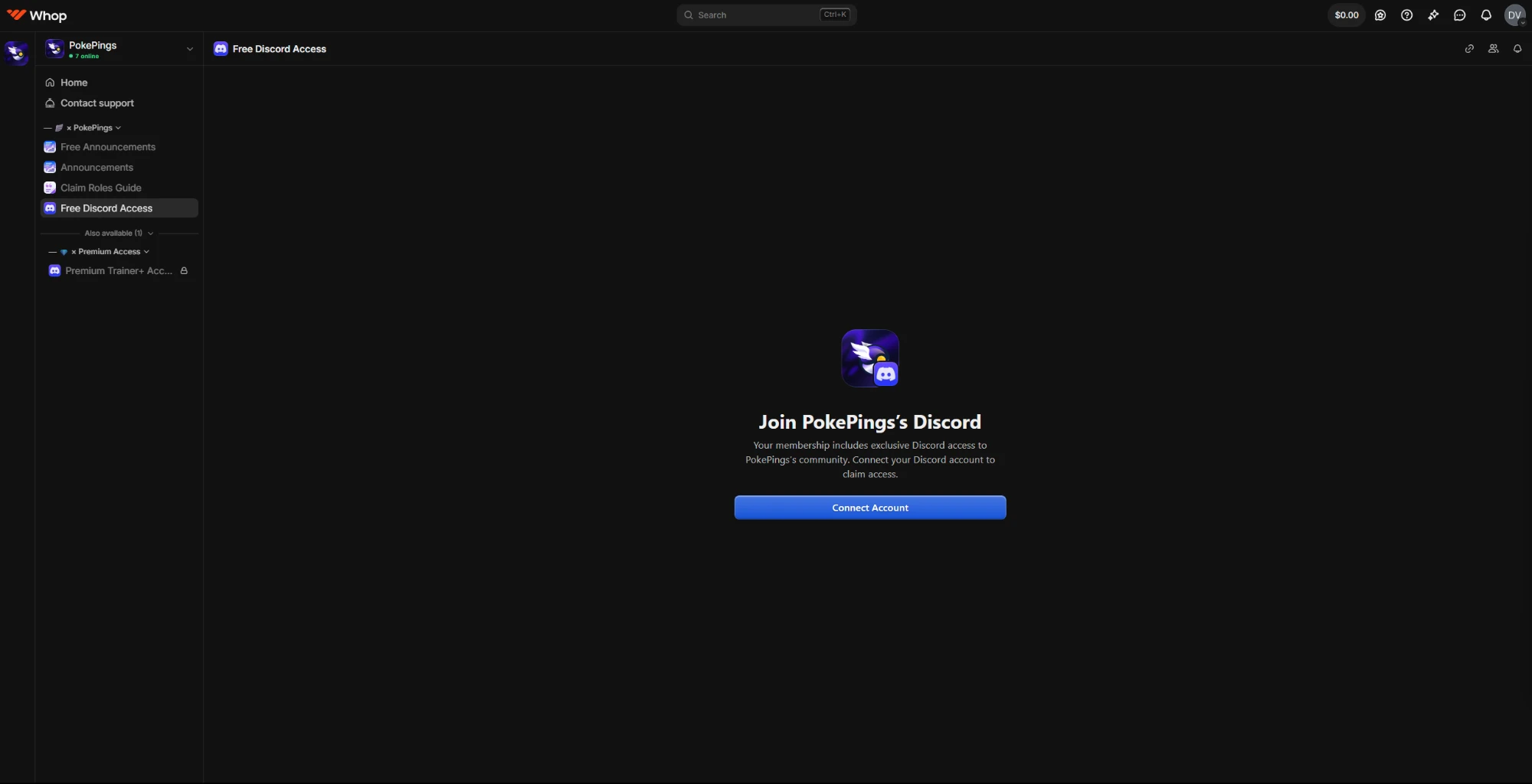
Already have a Discord account connected on Whop? You'll see Claim Access instead. Skip this step and go to step 3.
whop.com/pokepings · Free Discord Access
Whop page titled Join PokePings's Discord with a blue Connect Account button

Press the blue Connect Account button.

3

Press “Claim Access”

Under Your Discord Accounts, make sure your account is selected (blue tick), then press Claim Access. You'll be added to the PokePings Discord with your Premium roles.
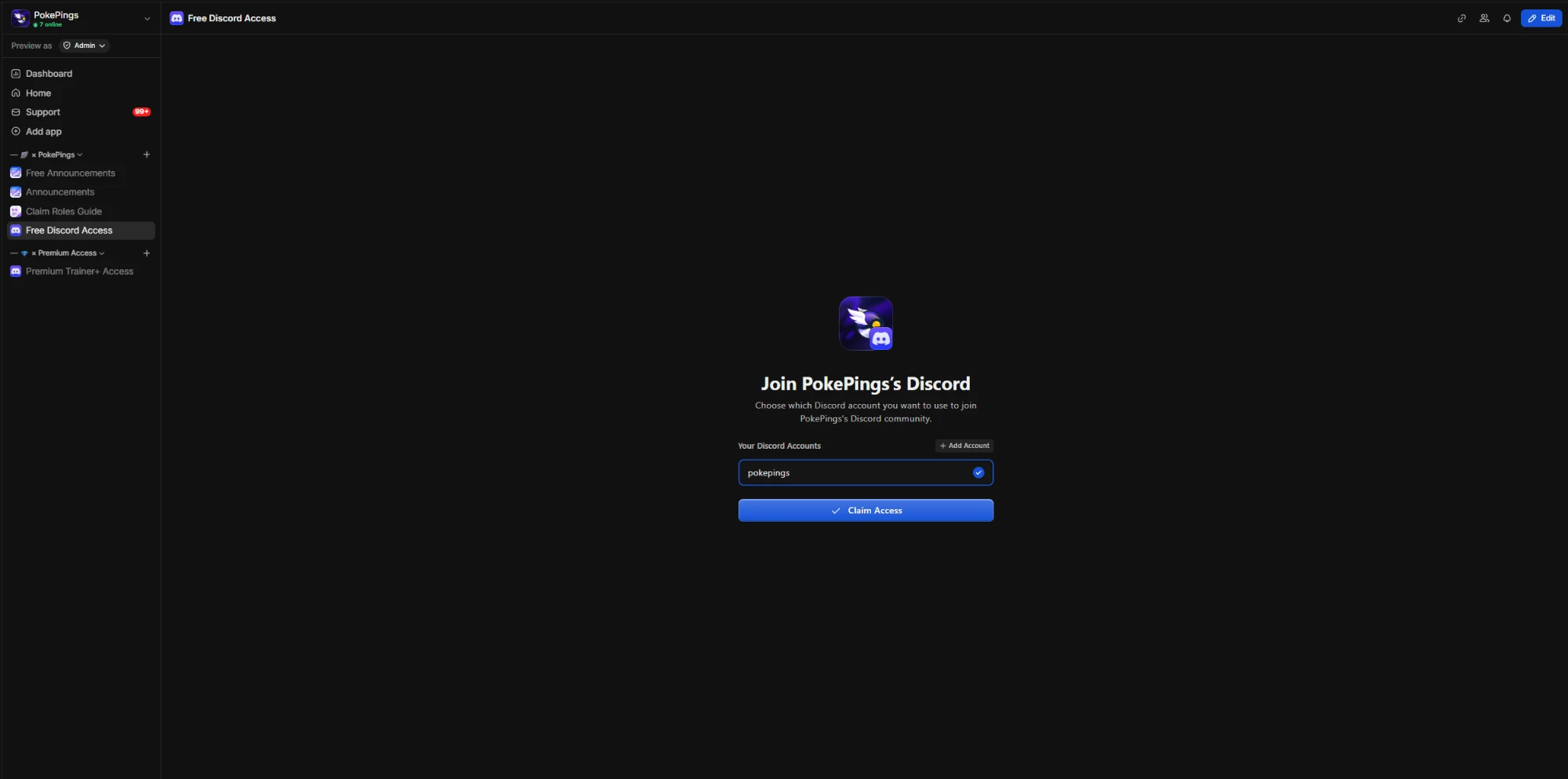
whop.com/pokepings · Free Discord Access
Whop page showing a selected Discord account and a blue Claim Access button

Pick your account, then press Claim Access.

Want the roles on a different Discord account? Press + Add Account above the list, connect it, select it, then press Claim Access.
Part 2

Finish setup in Discord

4

Set your region role to “US”

In the PokePings Discord, go to 🌎┃monitor-region-roles and pick US.

Your region role controls which monitor channels you can see. Without it, you might not see any restock alerts.
Setup complete. Welcome to Premium!Last thing: set up your alerts with the notification guide.
Help

Troubleshooting

I pressed Claim Access but didn't get my roles
Wait a minute, then fully restart Discord. Still nothing? Go back to the Discord access page and press Claim Access again. If it still doesn't work, make sure you're linking the correct Discord account.
I connected the wrong Discord account
On the Discord access page, press + Add Account and connect the right one. Select it, then press Claim Access. Log out of the wrong account in your browser first so Discord doesn't pick it automatically.
I don't see the Discord access page on Whop
You're probably logged in to a different Whop account than the one you bought PokePings on. Log out, then log back in with the email from your Whop receipt.
I'm in the server but can't see any alerts
Make sure you picked US in 🌎┃monitor-region-roles (step 4).
I'm on a free trial. Do I still get roles?
Yes. Trials get the same Premium roles as paid plans for the full 5 days.
My roles disappeared
Roles are removed when a membership ends or a payment fails. Check your membership on Whop. Once it's active again, press Claim Access again to get your roles back.
I left the server by accident
Go back to the Discord access page and press Claim Access. You'll be added back with your roles.

Still stuck?

Open a ticket in 🎟️┃open-a-support-ticket on our Discord and a staff member will sort it out.

Open a ticket